

Your cart
Your cart is empty
Laptops
44 Items


Smartphones
12 Items


Tablets
29 Items


Desktops
13 Items


Watches
12 Items


Accessories
23 Items


Save
10%


TOP
PICK


Super Offers
Upgrade Your Gear & Save
Save up to
10
%
Off

Laptops
Powerful laptops for work, study, and entertainment, delivering speed, reliability, and seamless performance daily.
Save up to
3
%
Off

iPads
Powerful, versatile iPads deliver seamless performance, stunning displays, and all-day productivity for work, learning.
Save up to
15
%
Off

Desktops
Powerful desktops designed for work, gaming, and creativity with reliable performance and seamless multitasking.
Save up to
₹
2,814
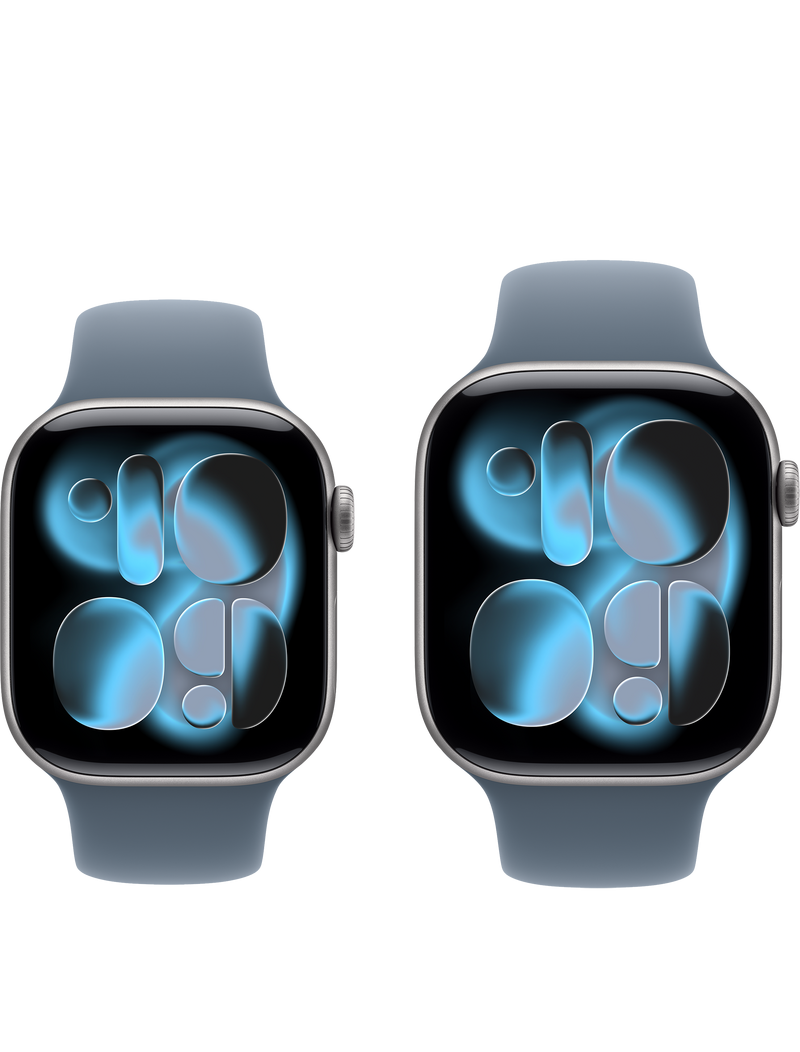
Watches
Stylish and reliable watches designed for every occasion, combining elegance, precision, comfort, and durability.
Save up to
₹
1,554

AirPods
Experience premium sound, seamless connectivity, and all-day comfort with Apple AirPods for every moment.
Save up to
₹
5,592

MacBook Neo
MacBook Neo delivers powerful performance, sleek design, all-day battery life, and seamless productivity anywhere.
Top Quality. Even Better Prices.


Greater Savings Deals


Hurry! Essential Products on Sale Today!

15%
OFF

15%
OFF


Exclusive in KMSPL
Enjoy the Latest Technology at Highest Quality
100% Price and Quality Guarantee
Same-day pickup or fast, free delivery
Service center available in all Regions
Competitive price for wide Range of Products that Fulfill Your Needs

TV & Entertainment

Printers & Scanners

Desktop Computers

Headphones & Earphones

Apple Products

Lenovo Products

HP Products

Dell Products
What Our Customers Say About Us
Excellent IT Solutions & Quick Support
KM Software delivered reliable IT solutions with prompt support. Highly satisfied with service quality.

Genuine Products & Professional Team
Purchased software licenses smoothly. The professional team provided clear guidance and excellent customer assistance.

Trusted Technology Partner
Great experience with KM Software. Competitive pricing, genuine products, and timely delivery every time.

Reliable Service & Fast Delivery
Ordered IT products from kmspl.org. Delivery was quick, and the support team responded efficiently.

Outstanding Customer Experience
Excellent communication throughout the purchase process. Genuine products and professional service exceeded expectations.

Best IT Solutions Provider
KM Software offers quality technology solutions with competitive prices and dependable customer support.

Smooth Purchase Process
The website was easy to use. The product ordering and delivery process remained hassle-free.

Top Categories For You


Explore the Latest from KMSPL

Google Fitbit Air Fitness Tracker: The Ultimate Screen-Free Health & Fitness Companion
The wearable technology market continues to evolve, and Google is pushing innovation further with the Google Fitbit Air Fitness Tracker. Designed for users who want powerful health and fitness tracking without the distractions of a traditional smartwatch, Fitbit Air introduces a minimalist, screen-free approach to wellness monitoring. As more people focus on improving their health, sleep quality, and daily activity levels, fitness trackers have become essential tools for maintaining a healthy lifestyle. The Google Fitbit Air combines advanced health monitoring, AI-powered coaching, and long battery life in a lightweight and comfortable design. In this comprehensive guide, we'll explore the Fitbit Air's features, performance, pricing, and whether it's worth buying in 2026. What Is Google Fitbit Air? Google Fitbit Air is a lightweight fitness tracker designed to help users monitor their health and fitness without the need for a display screen. Instead of constantly checking notifications and apps, users can focus on their wellness goals while accessing detailed insights through the Google Health App. The device is ideal for: Fitness enthusiasts Health-conscious individuals Runners and walkers Users seeking a distraction-free wearable People looking for a smartwatch alternative By removing the display, Google aims to provide a more comfortable and longer-lasting wearable experience. Google Fitbit Air Design & Build Quality One of the biggest highlights of the Fitbit Air is its ultra-lightweight design. The tracker is engineered to be worn throughout the day and night without causing discomfort. Design Highlights Slim and minimalist profile Lightweight construction Soft and breathable band material Water-resistant design Comfortable for 24/7 wear Unlike bulky smartwatches, Fitbit Air focuses on simplicity and comfort, making it suitable for workouts, office use, sleep tracking, and everyday activities. Key Features of Google Fitbit Air Advanced Health Monitoring Google Fitbit Air includes several health-tracking capabilities designed to help users better understand their overall wellness. Heart Rate Tracking The built-in sensors continuously monitor heart rate throughout the day, providing valuable insights into cardiovascular health and workout intensity. Sleep Tracking The tracker automatically records: Sleep duration Sleep stages Sleep quality Sleep score Users can analyze sleep patterns and receive personalized recommendations for better rest. Stress Management Fitbit Air helps users monitor stress levels and encourages healthier habits through guided wellness recommendations. Fitness Tracking Features The device accurately tracks: Daily steps Calories burned Distance traveled Active minutes Workout sessions Whether you're walking, running, cycling, or exercising at the gym, Fitbit Air keeps track of your progress. Google Health App & AI-Powered Coaching The Google Health App serves as the central hub for all Fitbit Air data. Personalized Health Insights The app converts raw fitness data into actionable recommendations that help users improve their health. AI-Powered Coaching Google's artificial intelligence technology provides: Personalized fitness suggestions Activity reminders Goal recommendations Workout guidance Sleep improvement tips These smart insights make it easier to maintain consistent fitness habits. Seamless Integration The app integrates with Google's ecosystem, allowing users to sync and manage their health data effortlessly. Battery Life and Performance Battery life remains one of the strongest advantages of the Google Fitbit Air. Long-Lasting Battery Because the device does not include a display, power consumption is significantly reduced. Expected battery performance includes: Up to 14 days of typical usage Fast charging support Reliable all-day tracking Performance and Accuracy The tracker uses advanced sensors and machine learning algorithms to deliver accurate activity and health measurements. Users can expect dependable tracking for: Heart rate Sleep patterns Physical activity Daily movement Google Fitbit Air vs Smartwatches Fitbit Air vs Apple Watch While the Apple Watch offers advanced smartwatch features, the Fitbit Air focuses primarily on health tracking and battery efficiency. Feature Fitbit Air Apple Watch Health Tracking Excellent Excellent Display No Yes Battery Life Up to 14 Days 1–2 Days Notifications Limited Extensive Weight Very Light Heavier Fitbit Air vs Samsung Galaxy Watch Samsung Galaxy Watch provides a full smartwatch experience, while Fitbit Air appeals to users who prioritize simplicity and wellness tracking. Why Choose Fitbit Air? Less distraction Longer battery life Lightweight design Focus on health and fitness Lower maintenance Pros and Cons of Google Fitbit Air Pros Extremely lightweight and comfortable Excellent battery life Accurate health tracking Easy-to-use companion app AI-powered health recommendations Ideal for sleep tracking Cons No display screen Limited smartwatch features Requires a smartphone app for detailed data Not suitable for users who need app notifications User Reviews and Community Feedback Early impressions suggest that users appreciate the minimalist philosophy behind Fitbit Air. Common positive feedback includes: Comfortable for all-day wear Great battery life Useful sleep tracking Easy fitness monitoring Some users may prefer a traditional smartwatch, but many health-focused individuals appreciate the simplicity and distraction-free experience. Pricing and Availability Google Fitbit Air is expected to target consumers looking for an affordable health and fitness wearable. Expected Pricing Entry-level fitness tracking package Competitive pricing compared to premium smartwatches Available through online and retail channels Availability may vary depending on region and market launch schedules. Is Google Fitbit Air Worth Buying in 2026? If your primary goal is health tracking, sleep monitoring, and maintaining an active lifestyle, the Google Fitbit Air could be an excellent choice. It is particularly suitable for: Fitness beginners Health-conscious users Frequent travelers People seeking longer battery life Users who prefer a screen-free wearable experience Those looking for advanced smartwatch functionality, such as messaging, calling, and app support, may find traditional smartwatches more suitable. Overall, Fitbit Air represents a refreshing approach to wearable technology by focusing on health, simplicity, and user comfort. Frequently Asked Questions (FAQs) Does Google Fitbit Air have a screen? No. Fitbit Air is designed as a screen-free fitness tracker focused on health and activity monitoring. Can the Fitbit Air track sleep? Yes. It offers detailed sleep tracking, including sleep stages and sleep quality insights. How long does the battery last? The device is expected to provide up to 14 days of battery life under normal usage conditions. Is the Fitbit Air waterproof? The tracker features water-resistant protection suitable for everyday activities and workouts. Does Fitbit Air work with Android and iPhone? Yes. The Google Health App is expected to support both Android and iOS devices. Is Google Fitbit Air worth buying? For users seeking a lightweight, long-lasting, and distraction-free fitness tracker, Fitbit Air offers excellent value. Final Thoughts The Google Fitbit Air Fitness Tracker represents the future of minimalist wearable technology. By combining advanced health tracking, AI-powered coaching, sleep monitoring, and exceptional battery life, it provides a compelling alternative to traditional smartwatches. For users who prioritize wellness over notifications, Fitbit Air could become one of the most appealing fitness trackers of 2026.

Top-Rated Laptops with Long Battery Life for Office Work
Choosing the best laptop for office work is more important than ever in 2026. Whether you are working remotely, managing business tasks, attending virtual meetings, or handling daily productivity apps, a long battery life laptop ensures uninterrupted performance throughout the day. Modern users now prefer lightweight laptops with powerful processors, SSD storage, and all-day battery backup to stay productive without constantly searching for a charger. In this guide, we’ll explore the top-rated laptops for office work, compare their features, and help you choose the right device based on your needs. What Makes a Laptop Ideal for Office Work? When selecting a productivity laptop for office use, focus on the following key features: ✔ Performance Look for: Intel Core i5 / i7 (12th–14th Gen) AMD Ryzen 5 / 7 Apple M2 / M3 chips ✔ Battery Life Minimum 8–20 hours backup Fast charging support ✔ Portability Lightweight (1–1.5 kg ideal) Slim ultrabook design ✔ Storage & Speed SSD storage (256GB / 512GB / 1TB) Minimum 8GB RAM (16GB preferred) ✔ Display & Comfort Full HD or higher resolution Anti-glare display for long working hours Top-Rated Laptops with Long Battery Life for Office Work (2026) Here are some of the best laptops for office productivity, business, and remote work: 1. Apple MacBook Air M3 (Best Overall Office Laptop) The MacBook Air M3 is one of the most powerful and energy-efficient laptops for professionals. Key Highlights: Up to 18–20 hours of battery life Ultra-lightweight design Silent fanless performance Excellent for multitasking & business apps Best for: Business professionals, remote workers, executives 2. Dell XPS 13 (Best Windows Premium Laptop) The Dell XPS 13 is a top choice for Windows users who want portability and performance. Key Highlights: Long battery life (10–14 hours) Premium compact design Vibrant display quality Strong build quality Best for: Corporate users, developers, office professionals 3. HP Pavilion Aero 13 (Best Budget Office Laptop) A lightweight and affordable laptop for everyday office tasks. Key Highlights: Strong battery backup (up to 10–12 hours) Very lightweight (under 1 kg) Ryzen performance efficiency Great value for money Best for: Students, freelancers, entry-level professionals 4. Lenovo ThinkPad E14 (Best for Business Users) The ThinkPad series is known for durability and productivity. Key Highlights: Excellent keyboard for typing Strong security features 10–13 hours battery life Business-class build quality Best for: Corporate employees, IT professionals 5. ASUS ZenBook 14 (Best Stylish Productivity Laptop) A sleek ultrabook designed for performance and portability. Key Highlights: Lightweight metal body Long-lasting battery (12+ hours) OLED display option Fast SSD performance Best for: Designers, office executives, frequent travellers Laptop Battery Life Comparison Table Laptop Model Battery Life Weight Best For MacBook Air M3 18–20 hrs 1.2 kg Premium office work Dell XPS 13 10–14 hrs 1.2 kg Business users HP Pavilion Aero 13 10–12 hrs 0.97 kg Budget users Lenovo ThinkPad E14 10–13 hrs 1.6 kg Corporate work ASUS ZenBook 14 12–15 hrs 1.3 kg Travel & productivity Tips to Maximise Laptop Battery Life To extend your laptop battery backup, follow these proven tips: Lower screen brightness Close unnecessary background apps Enable battery saver mode Avoid running heavy apps simultaneously Keep your system updated Use original chargers only MacBook vs Windows Laptops for Office Work MacBook Advantages: Best-in-class battery life Smooth performance with Apple Silicon Long software support Silent operation Windows Laptop Advantages: More variety and price options Better hardware customization Wider software compatibility for business tools Conclusion:If you want premium performance and battery life → go for MacBookIf you need flexibility and budget options → choose Windows laptops Best Laptops for Different Office Professionals Business Professionals MacBook Air M3 Dell XPS 13 Remote Workers ASUS ZenBook 14 HP Pavilion Aero Students & Interns HP Pavilion Aero 13 Lenovo IdeaPad series Designers & Creators MacBook Pro M3 ASUS ZenBook OLED Common Mistakes to Avoid When Buying an Office Laptop Avoid these mistakes while choosing your next laptop: Buying only based on price Ignoring battery performance Choosing heavy laptops for travel work Not checking upgrade options (RAM/SSD) Overlooking keyboard comfort for long typing sessions Frequently Asked Questions (FAQs) 1. Which laptop is best for office work with long battery life? MacBook Air M3 is currently one of the best options due to its 18+ hour battery life and performance efficiency. 2. What is a good battery life for office laptops? A good office laptop should offer at least 8–12 hours of backup for full-day productivity. 3. Is MacBook better than Windows for office work? MacBooks offer better battery life and smooth performance, while Windows laptops offer more variety and affordability. 4. Which is the best budget laptop for office use? The HP Pavilion Aero 13 and the Lenovo IdeaPad series are great budget-friendly choices. Conclusion Selecting the best laptop for office work with long battery life depends on your workflow, budget, and performance needs. If you prioritise premium performance and all-day battery life, MacBooks are a strong choice. For flexibility and affordability, Windows laptops offer excellent alternatives. A well-chosen laptop can significantly improve productivity, reduce downtime, and enhance your overall work experience.

iPads Buying Guide 2026: Choose the Perfect Apple Tablet for Your Needs
If you are planning to buy an Apple iPad in 2026, choosing the right model can be confusing. Apple offers multiple iPads with different sizes, chipsets, and features, making it difficult to decide which one is best for students, professionals, or creators. This complete iPad buying guide 2026 will help you compare all Apple iPad models, understand key features, and choose the perfect tablet based on your budget and usage. Why Choose an iPad? Top Benefits of Apple Tablets Apple iPads are among the most popular tablets worldwide due to their performance and reliability. Key benefits include: Fast and smooth performance with Apple Silicon chips Long battery life (up to 10–12 hours) Premium build quality and lightweight design Best-in-class app ecosystem for productivity and creativity Regular iPadOS updates for security and new features Whether you need a tablet for study, business, or entertainment, the iPad remains a top choice. Apple iPad Lineup Explained (Which iPad Should You Buy?) Apple currently offers four main iPad categories: 1. iPad (Standard) – Best Budget iPad Ideal for students and casual users Perfect for browsing, online classes, and streaming Most affordable Apple iPad 2. iPad Mini – Compact & Portable Small 8.3-inch display Best for reading, travel, and portability Lightweight and easy to carry 3. iPad Air – Best Balance of Price & Performance Powered by Apple M-series chip Great for multitasking and productivity Suitable for students and professionals 4. iPad Pro – Most Powerful iPad Best for video editing, design, and heavy tasks Available in 11-inch and 13-inch models Premium performance for professionals Key Factors to Consider Before Buying an iPad Before choosing an iPad, consider the following: Purpose (study, gaming, editing, office work) Budget range Screen size preference Storage requirements Apple Pencil and Magic Keyboard compatibility Choosing based on usage ensures better long-term value. iPad Display & Size Guide (Which Screen Size is Best?) 8.3-inch (iPad Mini): Best for portability 10.9-inch (iPad): Ideal for everyday use 11-inch (iPad Air/Pro): Balanced productivity 13-inch (iPad Pro): Best for creators and multitasking If portability matters, go small. If productivity matters, go bigger. iPad Performance Comparison (Chipset Guide 2026) Entry-level iPads → Great for browsing, streaming, studying iPad Air (M-series chips) → Smooth multitasking and office work iPad Pro → Maximum power for 4K editing, gaming, and design If you need a laptop replacement, the iPad Air or iPad Pro is recommended. Battery Life & Charging Most iPads offer: Up to 10–12 hours of battery backup USB-C fast charging (newer models) Efficient power management with iPadOS This makes the iPad ideal for all-day office or school use. Storage Options Explained (How Much Do You Need?) 64GB–128GB: Basic users (students, browsing) 256GB–512GB: Professionals and multitaskers 1TB or more: Video editors and designers Tip: Always choose higher storage if you plan long-term use. Best Accessories for iPad Users Boost your productivity with: Apple Pencil → Notes, drawing, design Magic Keyboard → Laptop-like typing experience Smart Folio → Protection and stand support USB-C hubs → External storage and connectivity Accessories can turn your iPad into a powerful workstation. Best iPad for Different Users (Use Case Guide) Best iPad for Students: iPad (10th Gen) Best iPad for Professionals: iPad Air Best iPad for Designers: iPad Pro Best iPad for Travel & Reading: iPad Mini iPadOS Features You Should Know in 2026 Split Screen & Multitasking (Stage Manager) Apple Pencil handwriting recognition Seamless Apple ecosystem integration Improved productivity apps support These features make the iPad more powerful than ever. Common Mistakes to Avoid When Buying an iPad Choosing low storage without thinking long-term Ignoring Apple Pencil compatibility Buying an overpowered iPad for basic use Not comparing Air vs Pro properly iPad Price & Value for Money (2026 Guide) Budget iPads → Best for students Mid-range iPads (Air) → Best overall value Premium iPads (Pro) → Best for professionals Choose based on your real needs, not just specs. Frequently Asked Questions (FAQs) Which iPad is best for students in 2026? iPad (10th Gen) or iPad Air is best for students. Is an iPad better than a laptop? An iPad can replace a laptop for most users with keyboard support. How long does an iPad last? Typically, 4–6 years with software updates. Which iPad supports Apple Pencil? Most modern iPads support Apple Pencil (check compatibility per model). Conclusion If you want a budget-friendly option, choose the standard iPad. For balanced performance, iPad Air is the best choice. For professional-grade power, iPad Pro is unmatched. Selecting the right iPad depends on your usage, budget, and performance needs. This guide helps you confidently pick the best Apple tablet in 2026.

How to Choose the Perfect Smartphone in 2026: Complete Beginner’s Guide
With hundreds of new smartphones launching every year, choosing the right device has become more confusing than ever. Whether you are looking for a budget smartphone, the best camera phone, or a high-performance 5G device, the right choice depends on your needs and usage. This complete beginner’s guide will help you understand everything you need to know before buying a smartphone in 2026, including performance, camera, battery life, display, and software updates. 1. Understand Your Needs Before Buying a Smartphone Before comparing specs, identify your primary usage: Daily use (calls, WhatsApp, browsing) Gaming smartphone needs Photography & video content creation Business or productivity use Entertainment & streaming Tip: Don’t buy based on trends-buy based on your lifestyle. 2. Android vs iOS: Which Operating System is Better in 2026? One of the biggest decisions is choosing between Android smartphones and iPhones (iOS). Android Advantages More customization options Wide range of budget to flagship phones More brands like Samsung, OnePlus, Xiaomi, Vivo iOS (iPhone) Advantages Smooth performance and long-term updates Strong privacy and security Best ecosystem with Mac, iPad, Apple Watch If you want flexibility → AndroidIf you want a premium experience → iPhone 3. Display Quality: AMOLED vs LCD vs OLED Display plays a major role in user experience. Best Display Types AMOLED / OLED → Best colors, deep blacks LCD → Budget-friendly but less vibrant Refresh Rate (Important in 2026) 60Hz → Basic use 90Hz → Smooth scrolling 120Hz+ → Gaming & premium experience For the best experience, choose a 120Hz AMOLED display smartphone. 4. Performance: Processor, RAM & Storage Performance decides how fast your phone runs. Top Processors in 2026 Snapdragon 8 Gen series (Android flagship) Apple Bionic chip (iPhone performance leader) MediaTek Dimensity (budget + mid-range performance) RAM Guide 4GB → Basic users 6GB–8GB → Normal users 12GB+ → Gaming & heavy multitasking Storage Options 64GB → Not recommended in 2026 128GB → Standard choice 256GB+ → Power users & creators 5. Camera Quality: Best Camera Phones Explained More megapixels don’t always mean better photos. Important Camera Features Night mode for low-light photography Optical Image Stabilization (OIS) Ultra-wide & telephoto lenses AI image processing The best camera phones are ideal for Instagram, YouTube, and content creation. 6. Battery Life & Fast Charging Battery is one of the most important factors today. What to Look For Minimum 4500mAh–6000mAh battery Fast charging (33W, 65W, 120W+) Battery optimization software A good smartphone should easily last 1 full day of heavy use. 7. Build Quality & Design Smartphones come in different materials: Glass back → Premium look Plastic body → Budget-friendly and durable Metal frame → Strong and premium feel Also check: IP rating (water and dust resistance) Weight and grip comfort 8. Software Experience & Updates A smooth software experience is very important. Things to Check Regular Android/iOS updates Clean user interface (UI) Less bloatware (unnecessary apps) Security patches support (3–5 years minimum) Phones with long updates give better long-term value. 9. Connectivity Features in Modern Smartphones In 2026, connectivity matters more than ever: 5G support for faster internet Wi-Fi 6 / Wi-Fi 6E for a stable connection Bluetooth 5.2 or higher NFC for payments and sharing Dual SIM / eSIM support 10. Budget Planning: Best Smartphone in Every Price Range Choose according to your budget: Budget Phones (₹10,000 – ₹15,000) Basic performance, good for daily use Mid-Range Phones (₹15,000 – ₹30,000) Best value segment Good camera + performance balance Premium Phones (₹30,000 – ₹70,000+) Flagship performance Best cameras and displays 11. Brand Comparison: Which Smartphone Brand is Best? Popular brands in 2026: Apple → Premium ecosystem, best performance Samsung → Balanced flagship + Android experience OnePlus → Smooth performance & fast charging Xiaomi / Redmi → Budget-friendly specs Vivo / Oppo / Realme → Camera-focused smartphones 12. Common Mistakes to Avoid When Buying a Smartphone Avoid these mistakes: Buying only based on brand name Ignoring software updates Overpaying for unnecessary features Focusing only on megapixels Choosing outdated processors Frequently Asked Questions (FAQs) Which is the best smartphone in 2026? It depends on the budget, but flagship phones from Apple and Samsung lead the market. How much RAM is enough in 2026? At least 6GB for normal use and 8GB+ for gaming. Is 5G important in a new phone? Yes, 5G is becoming standard for faster internet and future-proofing. Which phone has the best camera under budget? Mid-range smartphones from Samsung, Vivo, and Xiaomi offer excellent camera value. Conclusion The perfect smartphone in 2026 is not the most expensive one-it is the one that fits your needs. Always balance performance, camera, battery life, and budget before making a decision. If you choose wisely, your smartphone can easily last 3–5 years with good performance.
- Choosing a selection results in a full page refresh.
- Opens in a new window.